
Documents
Documents everyone reads, in the right version.
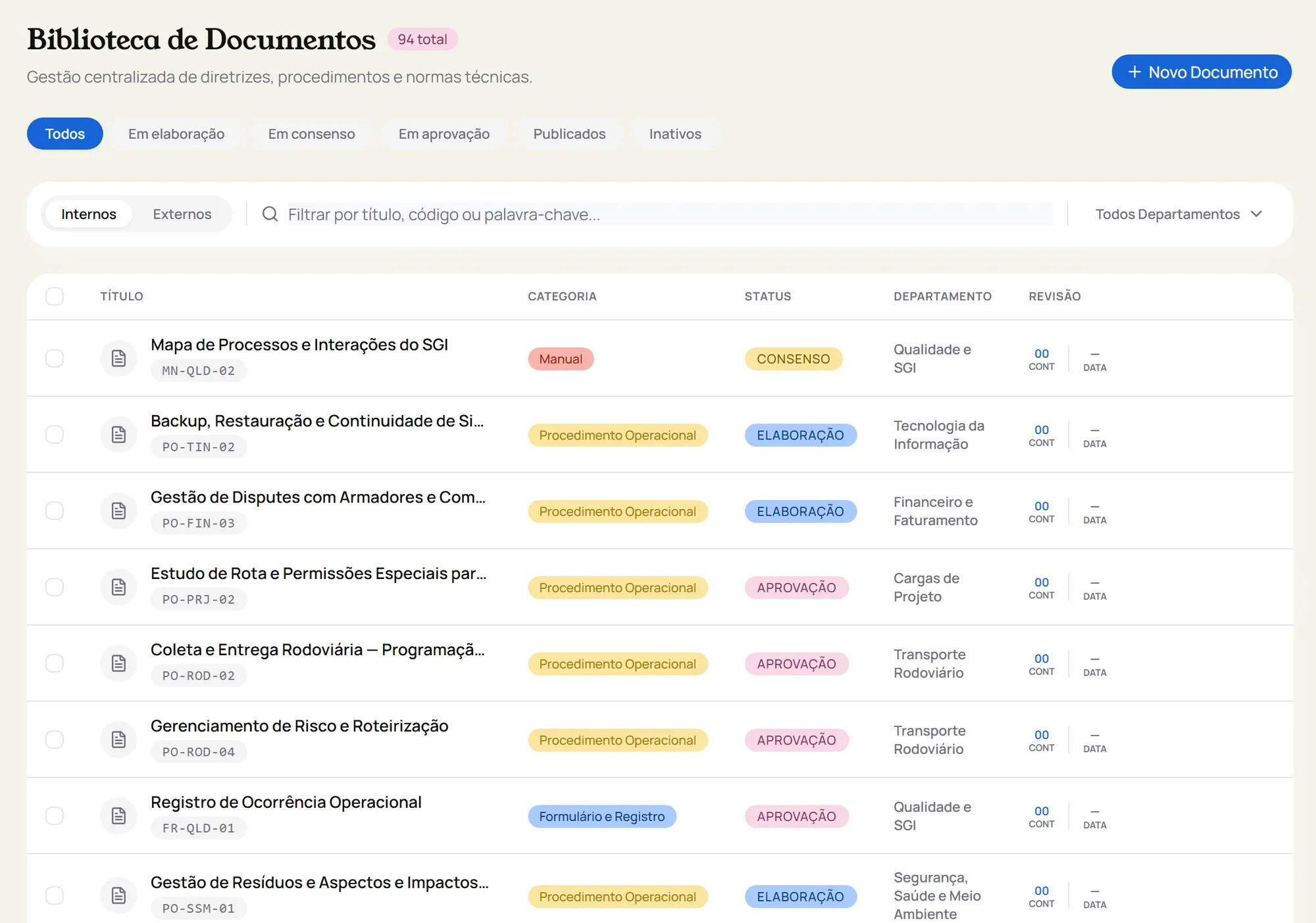
Procedures, manuals and forms with drafting, consensus and approval, mandatory reading and a reminder before they expire.
Available on these plans
- Freeincluded
- Starterincluded
- Professionalincluded
- Businessincluded
- Enterpriseincluded
Why control documents
When everyone works from a different version of the procedure, mistakes become routine and nobody knows what the rule was. Document control makes sure the team uses the current version, that someone reviewed and approved it, and that there is proof everyone read it.
ISO 9001, clause 7.5: documented information that is controlled, available and protected.
From draft to published
Drafting
The author writes the document and sends it for consensus.
Consensus
The assigned reviewers check it. If rejected, it goes back to drafting with a reason.
Approval
The approver releases it for publication.
Published
The current version becomes available and the previous one moves to the history.
Day to day
Who operates
Gets a notice through the bell icon and by email that the procedure changed, reads the new version and confirms the reading.
Who leads
Sees who hasn’t read it yet and which documents expire in the next 30 days, before anyone works from an old rule.
Who audits
Finds the current version, the revision history and the reading confirmations without asking anyone for anything.
What comes with it
Mandatory reading
On publication, the system asks each department to read it through the bell icon and by email, and resets confirmations with every new revision.
Expiry reminder
The owner gets a reminder 30 days before expiry (the period is configurable) and again after it expires.
Versions and revisions
Revision history with the classification of each change. "Revise" reopens the published document and archives the previous version.
Controlled copy
PDF stamped as a controlled, uncontrolled or informational copy, with recipient, sequence number and revocation.
External documents
Standards and third-party documents go straight to published, without consensus and approval.
Restricted access
Confidentiality and per-person access when a document isn’t meant for everyone.
Works together withNonconformitiesAuditsAI Connect
- Which documents expire in the next 30 days?
- Add a comment to this procedure about what needs to change in the next revision.
Explore the other modules
- Incidents: Record the incident with evidence, follow the supervisor review and the Quality analysis, and see what it cost and how much can be recovered.
- Nonconformities: Handle nonconformities with 5 whys or Ishikawa, a 5W2H action plan and an effectiveness check. If it didn’t work, the NC goes back to root cause.
- Audits: Plan internal, external, customer and supplier audits, record findings with evidence and create an NC or improvement opportunity straight from the finding.
- Risks: 5×5 probability and impact matrix, inherent and residual risk, treatment with actions and deadlines, and alerts when a department piles up NCs.
- Suppliers: Weighted questionnaire, Gold, Silver, Bronze or Rejected rating and re-evaluation on time. Suppliers answer through a link, no login needed.
- Disputes: When an incident has a dispute, it gets its own handling, with technical justification, BL number and carrier fee.
- Recovered value: Financial control of incidents shows the amount involved, what was recovered and what is still open.
- TAPI: TAPI adds up each employee’s losses over 12 months and suggests an action and a deadline for each band.
- Management reviews: ISO 9001 9.3 input topics created automatically, participants, decisions that become an NC or OM, and minutes in PDF.
Hover to preview each module. Click to learn more.
Start today.
Create your account on Free or try paid plans for 14 days.